CRM & Business Reporting
See your whole business in one place.
What is CRM & Business Reporting?
Track clients, agents, properties and inspections, then build any report you want from your data.
- CRM with custom fields and saved views
- Custom and pre-built reports with period-over-period trends
- Inspector earnings, detailed exports and bulk invoice export
- Records
- Clients, agents, properties and partner companies
- Added for you
- Any client or agent put on an inspection lands in your CRM automatically
- Custom fields
- On any of them, with an inline editor
- Created during import
- Columns that do not match an existing field prompt you to create a custom field, rather than being dropped
- Saved views
- Choose columns, reorder, resize and save the view, per table
- Importing
- CSV, XLSX and XLS up to 50MB, with AI-proposed field mapping and confidence scores
- Duplicates
- Matched on email, so a re-import does not double up your list
- Import safety
- A 100-row preview with duplicate and validation flags before anything is written
- Reports
- Build your own with filters and drilldown, or start from the template gallery
- Trends
- Period over period, so a number has something to be compared against
- Exports
- XLSX and CSV, plus bulk invoice and receipt export as a single archive
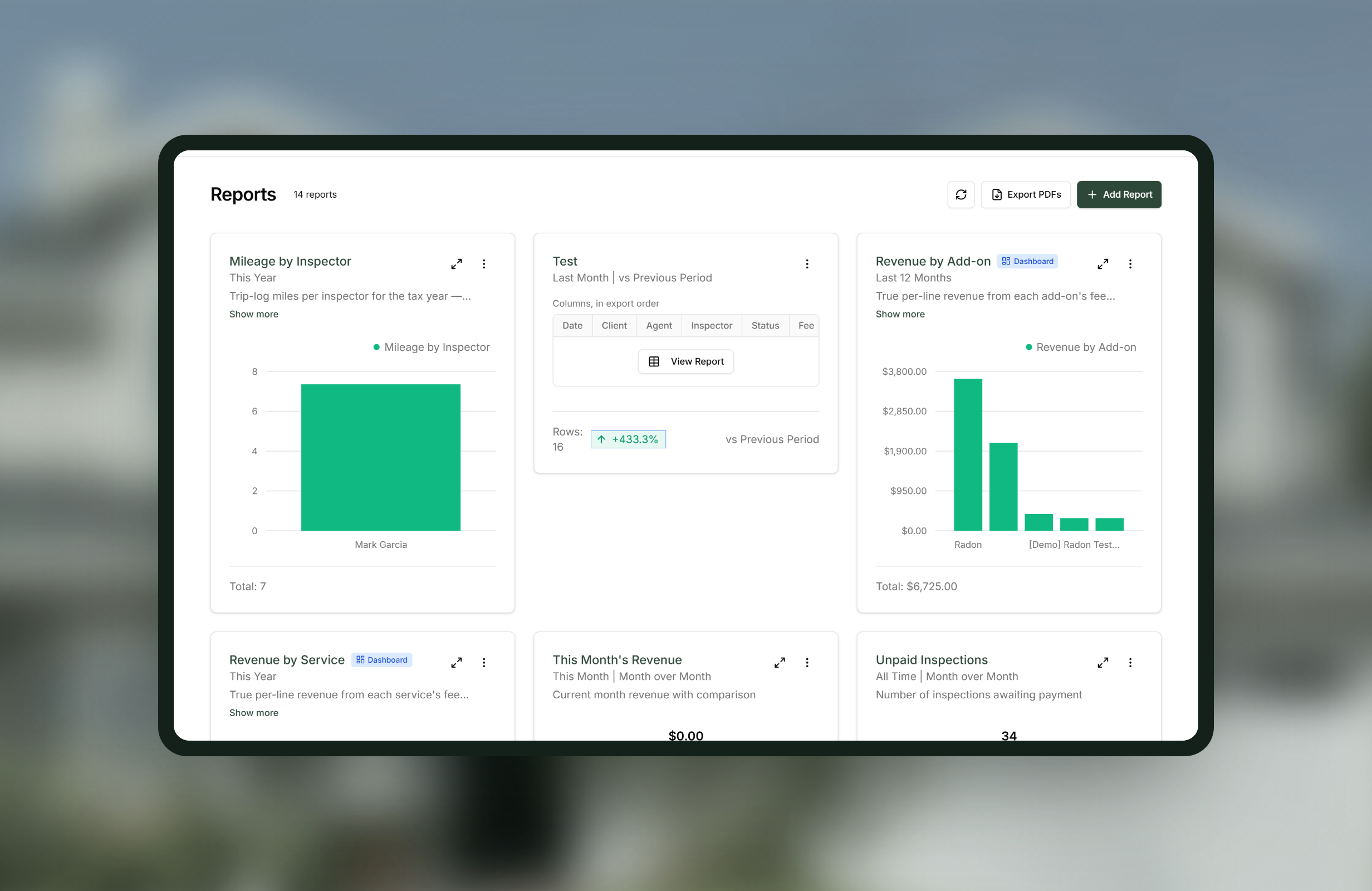
How CRM & Business Reporting works
-
1
Bring your existing records in
Upload a spreadsheet from whatever you use now. AI proposes the column mapping with a confidence score on each, and you correct it.
-
2
Let it build the fields you are missing
Where a column does not match anything in Binsr, you are prompted to create a custom field for it, so nothing in your old system is quietly lost.
-
3
Check the preview before it writes
A 100-row preview flags duplicates and validation problems, so you see the import before it happens rather than afterwards.
-
4
Shape the tables around how you work
Choose and reorder the columns, then save the view so it opens that way next time.
-
5
Build the report you actually need
Filters and drilldown on your own data, or start from the gallery and change it, then export it in the shape your bookkeeper wants.
Worth knowing
Your CRM fills itself as you work
Every client and agent attached to an inspection is added automatically if they are not already there. There is no separate step and nothing to remember.
Import is a migration, not an integration
Binsr does not connect to other inspection platforms. You bring a spreadsheet out of them and import it here, which is why the mapping step is AI-assisted.
Custom fields before import
Adding your own fields first gives the importer somewhere obvious to put those columns, though it will also prompt you to create them as it goes.
CRM & Business Reporting, answered
Can I bring my clients across from another platform?
Yes. Export a spreadsheet from your current system and import it. AI proposes the field mapping with confidence scores and you correct anything it gets wrong.
Will importing create duplicates?
No. Records are matched on email, and the preview flags duplicates and validation problems on up to 100 rows before anything is written.
Do I have to add clients and agents by hand?
No. Anyone attached to an inspection is added to your CRM automatically if they are not in it already.
Can I track things Binsr does not have a field for?
Yes. Custom fields can be added to clients, agents, properties and partners, and the importer prompts you to create one when a column does not match.
How do I get numbers out for my bookkeeper?
XLSX and CSV exports on any report, a generated earnings statement PDF, and bulk invoice and receipt export as one archive.
Get started today
Better inspections are one click away.
Five free inspections. No time limit, no credit card.