Advanced Automations & SMS
Your follow-ups, on autopilot.
What is Advanced Automations & SMS?
Automate every email and text to clients, agents and partners, triggered by any event or on a schedule.
- Triggers for every event, time-based rules, if/then conditions
- SMS with a new number or port your existing one
- Add-on upsell automations and custom recipients
- Included on Standard
- System automations covering every key communication point needed to run Binsr Inspect
- Advanced automations
- Custom rules you build yourself, on Pro
- SMS
- A paid add-on for Pro, $25 a month for unlimited texts
- Channels
- Email and SMS, with push notifications coming
- Triggers
- 25 and growing, across the inspection lifecycle, agreements, payments and content changes
- Timing
- At, before or after the trigger, from minutes out to years
- Recipients
- Client, primary agents, secondary agents, the inspector, partners, and your own team
- Several actions per rule
- One automation can send a different message to each recipient, instead of one rule per person
- Conditions
- 12 operators, combined with AND and OR
- Variables
- Every important data point in Binsr, usable in any message, SMS included
- Before you send
- Preview, test send, and a view of what is queued to go out
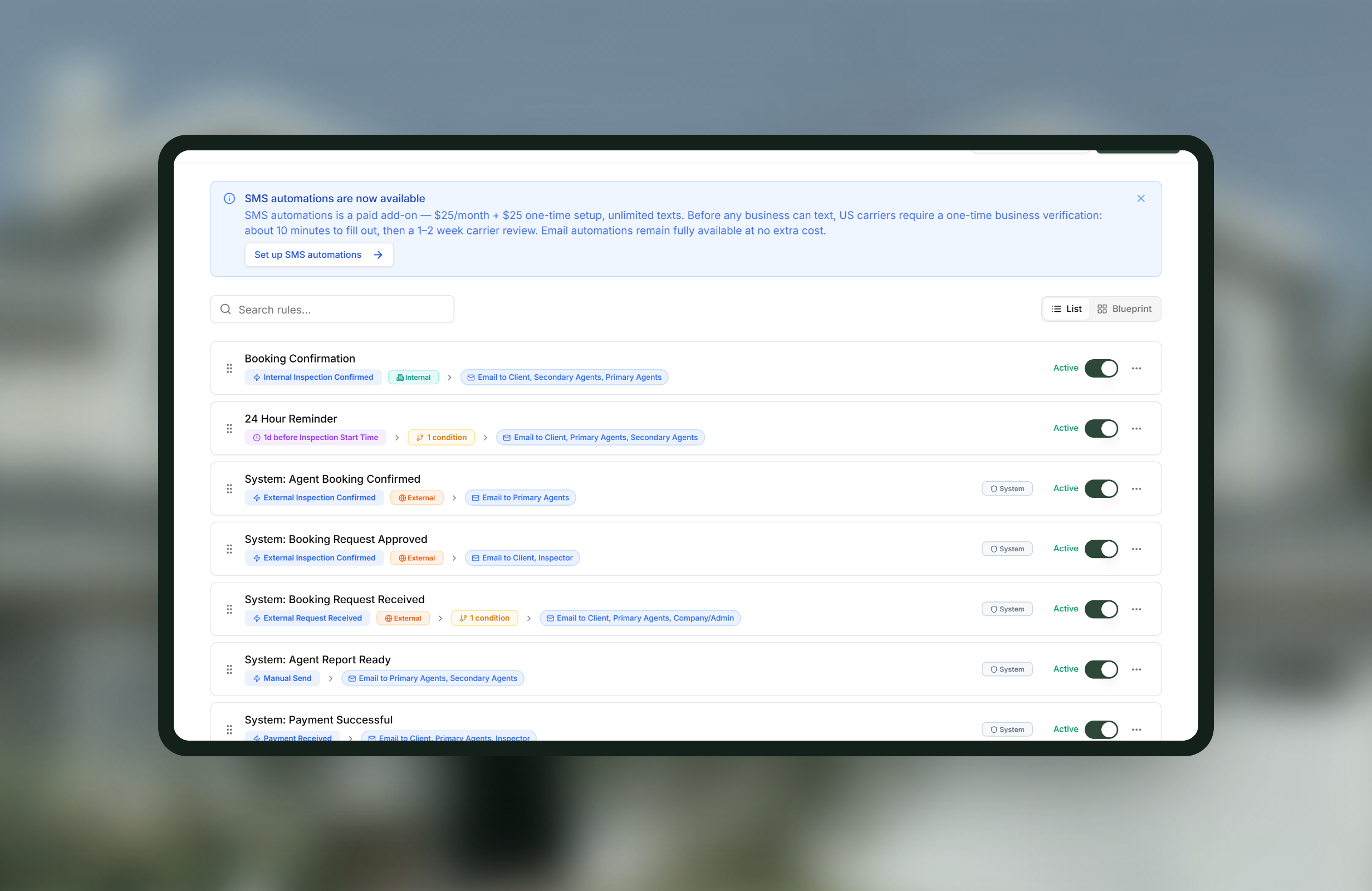
How Advanced Automations & SMS works
-
1
Pick the trigger
Twenty-five and counting, from inspection confirmed and rescheduled through agreement signed, payment received and add-on added. We add more all the time.
-
2
Set the timing
At the moment it happens, or before or after, from minutes to years out.
-
3
Add conditions if you need them
Twelve operators with AND and OR, so a rule can apply to one service, one agent, or only above a certain fee.
-
4
Build the actions inside one rule
Rather than a separate automation per recipient, one rule carries several actions, each with its own wording for the client, the agent or your team. Fewer rules, all firing off the same trigger and conditions.
-
5
Preview, test, then turn it on
Send yourself a test first. The upcoming sends view shows what is queued before it goes anywhere.
Worth knowing
Nothing fires until the inspection is booked
Rules are suppressed while an inspection is still a draft or pending approval, so a client never gets an update about something that was never confirmed.
Text messaging carries a cost and a registration
SMS is $25 a month for unlimited texts on top of Pro, and business texting in the US requires carrier registration first. Binsr handles the process; allow a little time for it.
Test sends are worth the minute
A rule reaching the wrong recipient is worse than no rule. Preview and test before enabling anything client-facing.
Advanced Automations & SMS, answered
Do I have to build automations myself?
No. System automations ship on Standard and cover the key communication points for running an inspection. Advanced automations, on Pro, are for the custom ones you want on top.
Can I text clients, not just email them?
Yes. SMS is a paid add-on for Pro at $25 a month for unlimited texts, and it runs off the same rules as email.
Can I send a reminder the day before an inspection?
Yes. Start time and end time triggers are live, with timing set before or after, so day-before and hour-before reminders both work.
Do I need a separate rule for each recipient?
No, and this is the part that keeps your list short. One automation carries several actions, each with its own message for a different recipient, all off the same trigger and conditions.
Can a rule apply only in certain cases?
Yes. Twelve condition operators with AND and OR logic let a rule apply to one service, one agent, or a fee above an amount.
Will a draft inspection start emailing people?
No. Rules are suppressed until the inspection is booked, which is what stops clients hearing about a job that was never confirmed.
Get started today
Better inspections are one click away.
Five free inspections. No time limit, no credit card.