Roles & Permissions
Everyone sees what they should. Nothing more.
What is Roles & Permissions?
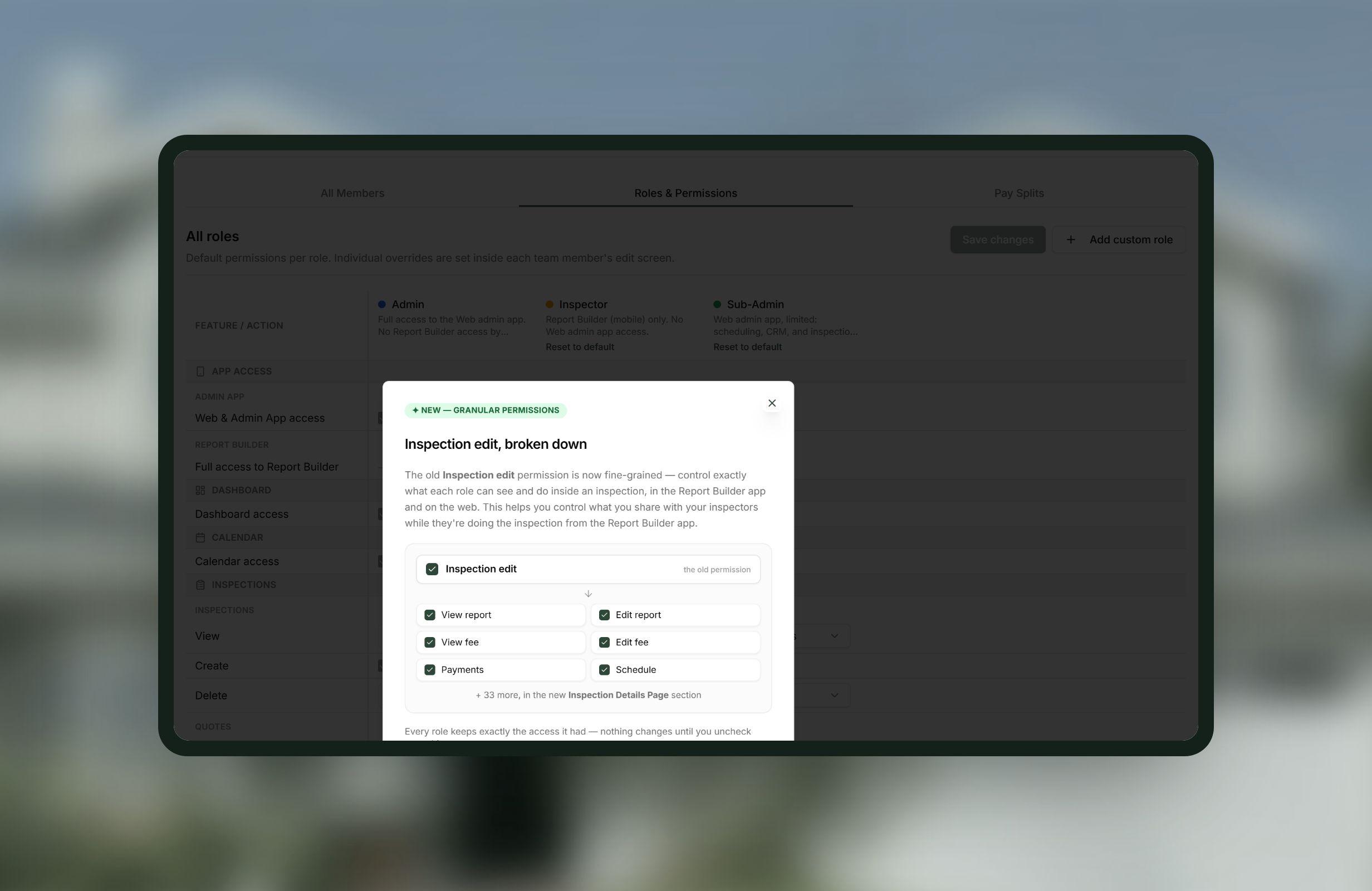
Every team member gets their own login, and you decide exactly what each role can see and change, down to fees, payments and the report itself.
- Individual permissions for fees, payments, services, agreements, schedule, report and more
- Works on the web and in the Report Builder app
- Admin and office staff seats included free
- Roles included
- Admin, Inspector and Sub-Admin, plus any custom role you add
- Admin
- Full access to the web admin app. No Report Builder access by default
- Inspector
- Report Builder on mobile. No web admin app access unless you grant it
- Sub-Admin
- Web admin app, limited to scheduling, CRM and inspection intake. No settings
- How granular
- There is a permission for very nearly everything in the app, not a handful of broad switches
- Commonly restricted
- Financial data, the ability to create, and the ability to delete
- Set per role
- Defaults for everyone holding that role
- Set per person
- Individual overrides, inside each team member's edit screen
How Roles & Permissions works
-
1
Assign roles to your team
Admin, Inspector and Sub-Admin cover most companies on day one.
-
2
Add a custom role if the three do not fit
Build it from the permission catalogue, permission by permission, and reset any role to its defaults whenever you want.
-
3
Tune the permissions to how you actually work
Hide financial data from inspecting staff, keep delete in the hands of one person, or scope who sees which inspections. Several rows are a choice rather than a switch: Inspections View can be all inspections, only their own, or none.
-
4
Override for one person
Someone who needs something their role does not get is an override on their own record, not a change to the role.
-
5
Stop thinking about it
Everyone signs in as themselves, sees what they should, and nothing else.
Worth knowing
Defaults and overrides are different things
The matrix sets the default for everyone holding a role. One person needing something different is an override on their own record.
Admin does not include the Report Builder
By default an Admin has the whole web app and no Report Builder access. If your admin also inspects, give them the Inspector role too.
Office staff do not cost a seat
Admin and office staff seats are free. You pay per inspector.
Roles & Permissions, answered
Can I create my own roles?
Yes. Build a new role from the permission catalogue, permission by permission. The three that ship can also be reset to their defaults at any time.
How granular does it get?
There is a permission for very nearly everything in the app. Hiding financial data from inspecting staff and restricting who can delete are the two most common requests.
Can I give one person different permissions from everyone else in their role?
Yes. The matrix sets the default for the role, and individual overrides are set inside that team member's edit screen.
Can I stop an inspector seeing other inspectors' jobs?
Yes. Inspections View is a scope rather than a checkbox: all inspections, assigned to me, or no access. Assigned to me is the Inspector default.
Do admins and office staff count towards my bill?
No. Admin and office staff seats are free. Binsr charges per inspector.
Get started today
Better inspections are one click away.
Five free inspections. No time limit, no credit card.