Multi-language Reports
Your clients and agents read your report in their language, with one tap.
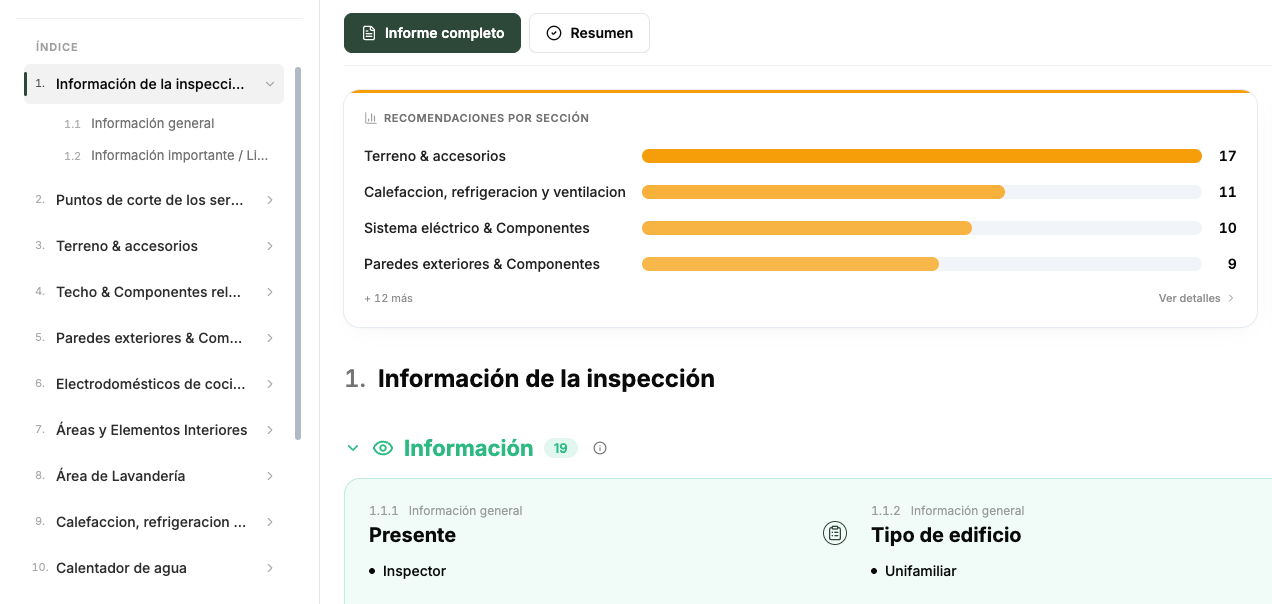
What is Multi-language Reports?
Spanish, French or Simplified Chinese. Your findings, comments, section names, summary and charts all come through, and the PDF downloads in the language they picked.
What you get
- One tap to switch: the language button sits next to Share on the report
- The whole report: findings, comments, section names, summary and charts
- Download Report gives them the PDF in the language they picked
- Client and agent portals remember their choice, so reports open in it every time
- Every translation says your original report is the official version
At a glance
- Languages
- Spanish, French and Simplified Chinese
- Who uses it
- Your clients and agents, from the report itself or from their portal
- What comes through
- Findings, comments, section names, the summary and the charts
- Download Report gives them the PDF in the language they picked
- Speed
- The first translation of a report takes a moment, with a progress bar. After that it opens instantly for everyone
- Your words stay official
- Every translated report says it is an automated translation provided for convenience, and that your original report is the official version
- Setup
- Already on. Nothing to set up
How Multi-language Reports works
4 steps, start to finish.
-
1
Send the report as usual
Nothing changes on your side
-
2
They tap the language button
It sits next to Share on the report. They pick Spanish, French or Simplified Chinese
-
3
They read it in their language
Findings, comments, section names, the summary and the charts all come through
-
4
They download the PDF
Download Report gives them the PDF in the language they picked
The parts people ask about.
It is an automated translation
Every translated report says so, and that your original report is the official version.
Multi-language Reports, answered
Which languages can clients pick?
Spanish, French and Simplified Chinese.
Do I need to turn it on?
No. It is already on and there is nothing to set up.
Does the PDF come in their language too?
Yes. Download Report gives them the PDF in the language they picked.
Is the translated report the official one?
No. Your original report is the official version. Every translated report says it is an automated translation provided for convenience.
How long does it take?
The first translation of a report takes a moment, with a progress bar. After that it opens instantly for everyone.
Can I see what my clients see?
Yes. Open any report and use the language button to read it in any of the three languages.
Better inspections are one click away.
Five free inspections. No time limit, no credit card.